How to Trade Crypto on a DEX: A Beginner's Guide to Trading Instantly
A step-by-step 2026 guide on how to trade crypto on a DEX. From setting up MetaMask and depositing USDC to opening your first position, including strategies and precautions.
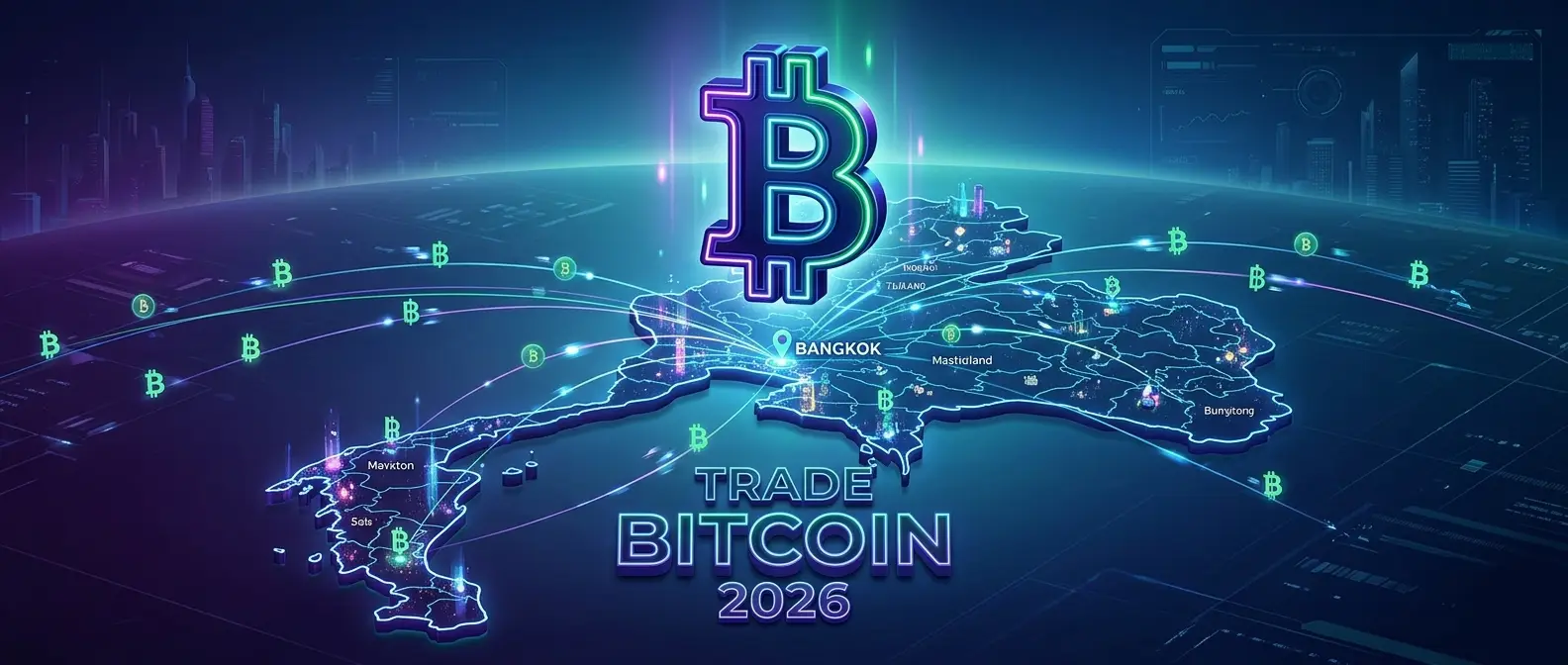
What is Crypto, and Why is it Still Worth Trading in 2026?
If you've just heard the term "crypto" or "cryptocurrency" and are wondering what it is, here is a short answer: Cryptocurrency is a digital currency that operates on a blockchain—a technology that no single person controls. There is no central bank or government that can print more at will. Every transaction is transparent and verifiable.
Why is it worth trading in 2026? Because the crypto market today isn't just about Bitcoin and Ethereum anymore. You can trade Gold, Oil, NVIDIA stock, Apple stock, Tesla stock, and over 200 other assets on a DEX like Hyperliquid without opening a foreign brokerage account, without KYC, and it’s open 24/7 with no holidays.
The key advantages of trading crypto on a DEX today are the extremely low fees, the ability to profit from both rising and falling prices, and the ability to withdraw funds back into Thai Baht through Bitkub within an hour.
What Do You Need to Prepare Before Trading?
There are only three things you need to get started. It's not complicated at all.
1. A Bitkub Account (For buying USDC with Thai Baht)
Bitkub is a Thai exchange that accepts Thai Baht directly. You must register and pass KYC (ID card and photo required), which takes about 1-2 days. Once done, deposit Baht and buy USDC. USDC is a stablecoin pegged 1:1 with the US Dollar, used as your trading capital on SiamDEX.
2. MetaMask Wallet (Your crypto wallet)
MetaMask is a browser extension for Chrome that acts as your crypto wallet. Download it only from metamask.io; beware of phishing sites with similar names. After installation, create a new wallet and write down your 12-word Seed Phrase on paper. Store it safely—never take a photo or save it on your phone.
Then, add the Arbitrum network to MetaMask via Network Settings. Search for and select Arbitrum One, as Hyperliquid operates on this network.
3. A Little ETH for Gas Fees
Transferring USDC from Bitkub to MetaMask on Arbitrum requires ETH for "gas fees," which cost about $0.01-$0.10 per transaction. Buying about $2-$5 worth of ETH at Bitkub is enough for a start.
Step-by-Step Trading Guide
Let's get practical. Follow these steps:
Step 1 — Buy USDC and ETH at Bitkub
- Log in to Bitkub and deposit Thai Baht via PromptPay.
- Go to the trading menu, select the USDC/THB pair, and click Buy for the desired amount.
- Buy a small amount of ETH for gas fees on Arbitrum.
Step 2 — Transfer USDC from Bitkub to MetaMask
- Open MetaMask and ensure the network is set to Arbitrum One.
- Copy your MetaMask wallet address.
- At Bitkub, select Withdraw USDC and choose the Arbitrum network (This is crucial; do not choose the wrong network).
- Paste your MetaMask address and confirm. Wait about 5-15 minutes.
Step 3 — Connect MetaMask to SiamDEX
- Go to siamdex.com using Chrome with MetaMask installed.
- Click the "Connect MetaMask" button in the top right.
- A MetaMask popup will appear; click Connect.
- Click "Deposit" to move your USDC into the Hyperliquid system.
Step 4 — Select an Asset and Open a Position
- Choose the asset you want to trade, such as BTC, ETH, or GOLD.
- Choose "Long" if you think the price will go up, or "Short" if you think it will go down.
- Set your leverage (beginners are recommended to stay below 3x).
- Enter the amount of USDC you want to use.
- Set a Stop Loss—this is mandatory before every trade.
- Click "Place Order" and monitor your trade in the Positions tab below.
Step 5 — Close Position and Withdraw Profits
- When you want to exit, click the "Close" button on that position.
- Profits will enter your Hyperliquid account as USDC immediately.
- Click "Withdraw" to move USDC back to your MetaMask (1 USDC fee).
- Transfer USDC from MetaMask back to Bitkub via the Arbitrum network.
- Sell USDC for THB on Bitkub and withdraw to your bank account.
Basic Strategies Every Beginner Should Know
Before discussing strategy, the most important rule is: Do not trade with money you cannot afford to lose. Your capital should be money that, even if entirely lost, will not affect your daily life.
Strategy 1 — Trend Following
Trade in the direction of the market. If prices are rising, Long; if falling, Short. Use a Moving Average (MA) as a guide—for example, if the price is above the 50-day MA, it is an uptrend (Long); if below, it is a downtrend (Short).
Strategy 2 — Support and Resistance
Support is a price level where the price tends to bounce up. Resistance is where it tends to pull back. Buy near support and sell near resistance, setting your Stop Loss slightly below the support level.
Risk Management Rules to Remember:
- Never risk more than 1-2% of your total capital per trade.
- Always set a Stop Loss before placing an order.
- Do not add to a losing position (No "Averaging Down").
- If you lose 3 times in a row, take a break. Don't trade with emotions.
Risks to Watch Out For
Liquidation — The Greatest Risk: When using leverage, if the price moves against you and your margin is insufficient, the system will automatically close your position and you will lose the initial capital instantly. Stop Losses prevent this.
High Volatility: Crypto prices can swing 5-20% in a single day. High leverage makes this extremely dangerous.
Scams and Phishing: Always double-check URLs before connecting your wallet. Phishing sites often mimic MetaMask or SiamDEX.
Why Trade on SiamDEX?
- Ultra-low Fees: Combined fees of only 0.035% per trade, 7 times cheaper than Bitkub (0.25%).
- Diverse Assets: Trade over 200 assets including crypto, gold, oil, and US stocks.
- No KYC: Connect your wallet and trade instantly without identity verification.
- Long and Short: Profit in both bull and bear markets.
- 100% On-chain: Your funds are in a smart contract, not held by a company.
Summary — Who is it For?
Trading on a DEX like SiamDEX is perfect for those seeking global market access with low fees and high privacy. It is not suitable for those without emergency savings or those who don't have time to study the market. Ready to start? Visit siamdex.com and try it out with just 50-100 USDC to get familiar with the system!
Written by

SiamDEX's team of DeFi and financial market experts with over 5 years of experience trading crypto and digital assets.
Related Articles
Before You Trade
Level Up Your Knowledge First
Smart traders do their research first. Read our articles and latest news before placing your first trade.
Educational Blog
Learn trading fundamentals to advanced strategies for crypto, stocks, and more.
Latest Market News
Stay updated on crypto, stocks, and macro news to time the market better.
Successful traders spend 80% of their time studying the market and 20% actually trading. Don't rush.
วิธีเทรด
และอีก 200+ รายการ


Assets You Can Trade
 Bitcoin (BTC)
 Ethereum (ETH)
 Solana (SOL)
 Hyperliquid (HYPE)
 Gold (PAXG) (PAXG)
 XRP (XRP)
 Dogecoin (DOGE)
 Fartcoin (FARTCOIN)
 Zcash (ZEC)
 Bittensor (TAO)
 Plasma (XPL)
 Pump.fun (PUMP)
 Pepe (1000x) (KPEPE)
 Sui (SUI)
 Venice Finance (VVV)
 Algorand (ALGO)
 Litentry (LIT)
 Chainlink (LINK)
 Cardano (ADA)
 Monad (MON)
 Jupiter (JUP)
 Ethena (ENA)
 Avalanche (AVAX)
 LayerZero (ZRO)
 Blur (BLUR)
 Ondo Finance (ONDO)
 dogwifhat (WIF)
 Pudgy Penguins (PENGU)
 SPX6900 (SPX)
 Bonk (1000x) (KBONK)
 dYdX (DYDX)
 TRON (TRX)
 Starknet (STRK)
 Story Protocol (IP)
 Render Network (RENDER)
 AIXBT by Virtuals (AIXBT)
 Aerodrome Finance (AERO)
 Just a Chill Guy (CHILLGUY)
 Aave (AAVE)
 BNB (BNB)
 Curve Finance (CRV)
 Monero (XMR)
 NEAR Protocol (NEAR)
 Aster (ASTER)
 Worldcoin (WLD)
 Uniswap (UNI)
 Bitcoin Cash (BCH)
 Sei (SEI)
 Aptos (APT)
 Litecoin (LTC)
 Lido DAO (LDO)
 World Liberty Financial (WLFI)
 Arbitrum (ARB)
 Stellar (XLM)
 Virtuals Protocol (VIRTUAL)
 Official Trump (TRUMP)
 Fetch.ai (ASI) (FET)
 Morpho (MORPHO)
 Hemi Network (HEMI)
 Polkadot (DOT)
 0G (ZeroGravity) (0G)
 DoubleZero (2Z)
 ACE (Fusionist) (ACE)
 ApeCoin (APE)
 Axie Infinity (AXS)
 Bio Protocol (BIO)
 BLAST (BLAST)
 BOOK OF MEME (BOME)
 Conflux (CFX)
 Brent (BRENTOIL)
 GOLD (GOLD)
 SILVER (SILVER)
 Nvidia (NVDA)
 Apple (AAPL)
 Tesla (TSLA)
 S&P 500 (SP500)
 WTI (CL) (CL)
 Nasdaq 100 (XYZ100)
 SanDisk (Western Digital) (SNDK)
 Circle (CRCL)
 Micron Technology (MU)
 Intel (INTC)
 Natural Gas (NATGAS)
 EUR (EUR)
 Platinum (PLATINUM)
 Coinbase (COIN) (COIN)
 iShares MSCI South Korea ETF (EWY)
 JPY (JPY)
 Alphabet (Google) (GOOGL)
 Robinhood (HOOD)
 Palantir (PLTR)
 Copper (COPPER)
 MicroStrategy (MSTR)
 Meta (Facebook) (META)
 Microsoft (MSFT)
 CrowdStrike (CRWV)
 Amazon (AMZN)
 SK Hynix (SKHX)
 Netflix (NFLX)
 Advanced Micro Devices (AMD)
 Eli Lilly (LLY)
 ARM Holdings (USAR)
 TSMC (TSM)
 Oracle (ORCL)
 iShares MSCI Japan ETF (EWJ)
 Rivian (RIVN)
 Alibaba (BABA)
 Samsung Electronics (SMSN)