What is MetaMask? Installation and Usage Guide for Beginners 2026
What is MetaMask? A step-by-step guide to installing MetaMask on Chrome, creating a wallet, securing Seed Phrases, and connecting to SiamDEX.
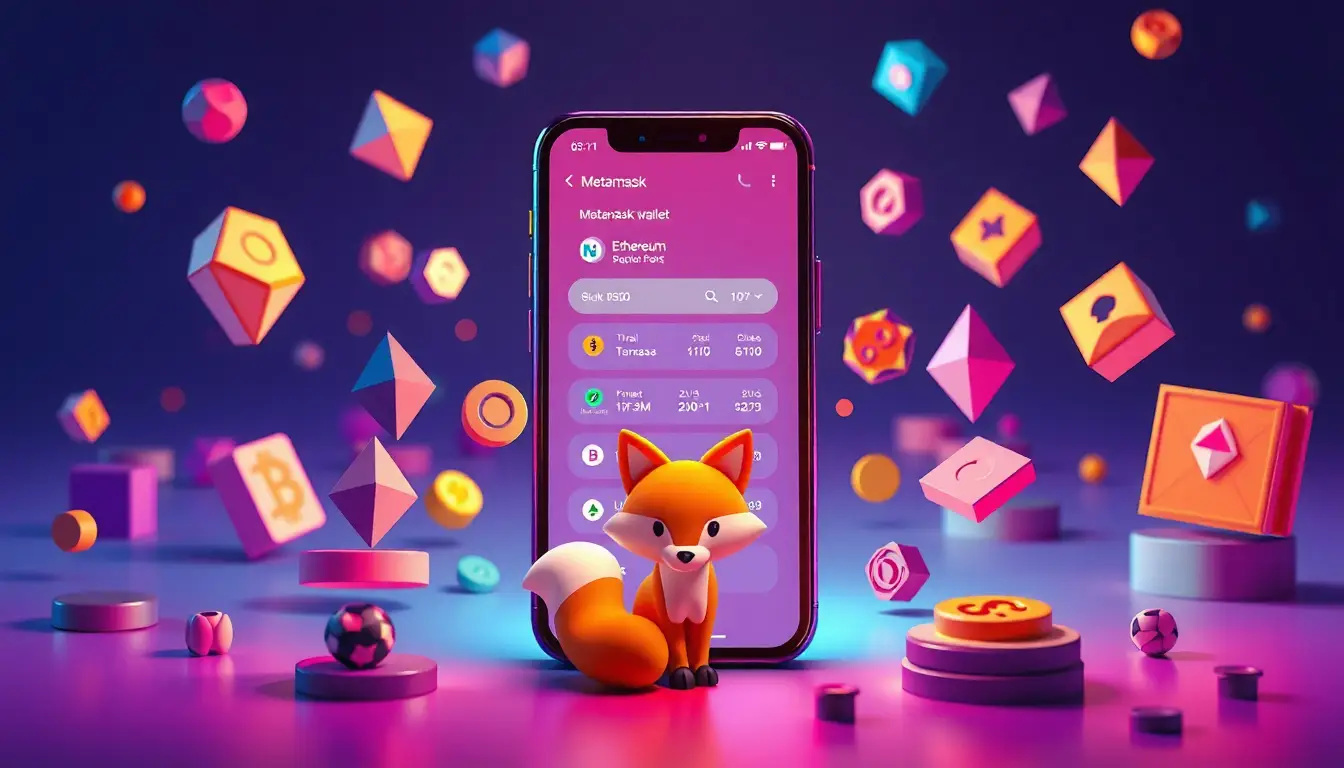
What is MetaMask?
MetaMask is a crypto wallet available as a browser extension and mobile app that connects you to DeFi protocols like SiamDEX. Think of it as a digital "wallet" where you hold the private keys entirely—no bank or company holds them for you.
Why use MetaMask with SiamDEX? Since SiamDEX is a blockchain-based DEX, every transaction must be signed with your private key. MetaMask manages that key and shows a popup for you to approve transactions every time.
How to Install MetaMask on Chrome
- Open Chrome and visit metamask.io only. Be wary of phishing sites with similar names.
- Click Download for Chrome.
- Click Add to Chrome in the Chrome Web Store.
- Click Add extension to confirm.
- The MetaMask icon will appear in the top right corner of Chrome.
How to Create a New Wallet
- Click the MetaMask icon and select Create a new wallet.
- Set a strong password (using uppercase letters, numbers, and symbols).
- Click Secure my wallet.
- Click Reveal Secret Recovery Phrase.
- Write down the 12 words on paper in the correct order.
- Confirm by selecting the words in the correct sequence.
- Click Done — your wallet is now ready.
What is the Secret Recovery Phrase and Why is it Critical?
The Secret Recovery Phrase (Seed Phrase) is the 12-word master key to your wallet. Anyone with these words can access all the funds in your wallet instantly.
Safe Storage Tips:
- Write it on paper in two sets and store them in separate safe locations.
- Never take a photo or screenshot of it.
- Never type it into your phone, LINE, or any digital notes.
- Never share it with anyone. MetaMask or SiamDEX will never ask for your Seed Phrase.
- If you lose the Seed Phrase, your wallet and funds are lost forever with no way to recover.
How to Add Arbitrum Network to MetaMask
MetaMask defaults to Ethereum mainnet, but Hyperliquid requires Arbitrum. To add it:
- Click the network dropdown (showing Ethereum). A Select Network popup will appear.
- Select Arbitrum, and you are done.
How to Connect MetaMask to SiamDEX
- Visit siamdex.com using the Chrome browser with MetaMask installed.
- Click the Connect MetaMask button at the top right.
- A MetaMask popup will appear; click Connect.
- Your address will appear in the top right corner, indicating a successful connection.
MetaMask "Don'ts"
- Do not access MetaMask via Google Ads: Phishing sites often use ads to mimic the real site. Always type metamask.io directly.
- Do not connect your wallet to unknown websites: Verify the URL before approving any transaction.
- Do not sign transactions you don't understand: If a popup appears and you are unsure, click Reject first.
- Do not use the same wallet on multiple devices simultaneously: This can lead to nonce errors.
- Do not import your Seed Phrase anywhere except metamask.io: Anyone asking for your Seed Phrase is a scammer.
Written by

SiamDEX's team of DeFi and financial market experts with over 5 years of experience trading crypto and digital assets.
Related Articles
Before You Trade
Level Up Your Knowledge First
Smart traders do their research first. Read our articles and latest news before placing your first trade.
Educational Blog
Learn trading fundamentals to advanced strategies for crypto, stocks, and more.
Latest Market News
Stay updated on crypto, stocks, and macro news to time the market better.
Successful traders spend 80% of their time studying the market and 20% actually trading. Don't rush.
วิธีเทรด
และอีก 200+ รายการ

Assets You Can Trade
 Bitcoin (BTC)
 Ethereum (ETH)
 Solana (SOL)
 Hyperliquid (HYPE)
 Gold (PAXG) (PAXG)
 XRP (XRP)
 Dogecoin (DOGE)
 Fartcoin (FARTCOIN)
 Zcash (ZEC)
 Bittensor (TAO)
 Plasma (XPL)
 Pump.fun (PUMP)
 Pepe (1000x) (KPEPE)
 Sui (SUI)
 Venice Finance (VVV)
 Algorand (ALGO)
 Litentry (LIT)
 Chainlink (LINK)
 Cardano (ADA)
 Monad (MON)
 Jupiter (JUP)
 Ethena (ENA)
 Avalanche (AVAX)
 LayerZero (ZRO)
 Blur (BLUR)
 Ondo Finance (ONDO)
 dogwifhat (WIF)
 Pudgy Penguins (PENGU)
 SPX6900 (SPX)
 Bonk (1000x) (KBONK)
 dYdX (DYDX)
 TRON (TRX)
 Starknet (STRK)
 Story Protocol (IP)
 Render Network (RENDER)
 AIXBT by Virtuals (AIXBT)
 Aerodrome Finance (AERO)
 Just a Chill Guy (CHILLGUY)
 Aave (AAVE)
 BNB (BNB)
 Curve Finance (CRV)
 Monero (XMR)
 NEAR Protocol (NEAR)
 Aster (ASTER)
 Worldcoin (WLD)
 Uniswap (UNI)
 Bitcoin Cash (BCH)
 Sei (SEI)
 Aptos (APT)
 Litecoin (LTC)
 Lido DAO (LDO)
 World Liberty Financial (WLFI)
 Arbitrum (ARB)
 Stellar (XLM)
 Virtuals Protocol (VIRTUAL)
 Official Trump (TRUMP)
 Fetch.ai (ASI) (FET)
 Morpho (MORPHO)
 Hemi Network (HEMI)
 Polkadot (DOT)
 0G (ZeroGravity) (0G)
 DoubleZero (2Z)
 ACE (Fusionist) (ACE)
 ApeCoin (APE)
 Axie Infinity (AXS)
 Bio Protocol (BIO)
 BLAST (BLAST)
 BOOK OF MEME (BOME)
 Conflux (CFX)
 Brent (BRENTOIL)
 GOLD (GOLD)
 SILVER (SILVER)
 Nvidia (NVDA)
 Apple (AAPL)
 Tesla (TSLA)
 S&P 500 (SP500)
 WTI (CL) (CL)
 Nasdaq 100 (XYZ100)
 SanDisk (Western Digital) (SNDK)
 Circle (CRCL)
 Micron Technology (MU)
 Intel (INTC)
 Natural Gas (NATGAS)
 EUR (EUR)
 Platinum (PLATINUM)
 Coinbase (COIN) (COIN)
 iShares MSCI South Korea ETF (EWY)
 JPY (JPY)
 Alphabet (Google) (GOOGL)
 Robinhood (HOOD)
 Palantir (PLTR)
 Copper (COPPER)
 MicroStrategy (MSTR)
 Meta (Facebook) (META)
 Microsoft (MSFT)
 CrowdStrike (CRWV)
 Amazon (AMZN)
 SK Hynix (SKHX)
 Netflix (NFLX)
 Advanced Micro Devices (AMD)
 Eli Lilly (LLY)
 ARM Holdings (USAR)
 TSMC (TSM)
 Oracle (ORCL)
 iShares MSCI Japan ETF (EWJ)
 Rivian (RIVN)
 Alibaba (BABA)
 Samsung Electronics (SMSN)